
Hyundai Ioniq (AE): Air Conditioning System / Auto Defogging Sensor. Repair procedures
| Diagnosis With GDS |
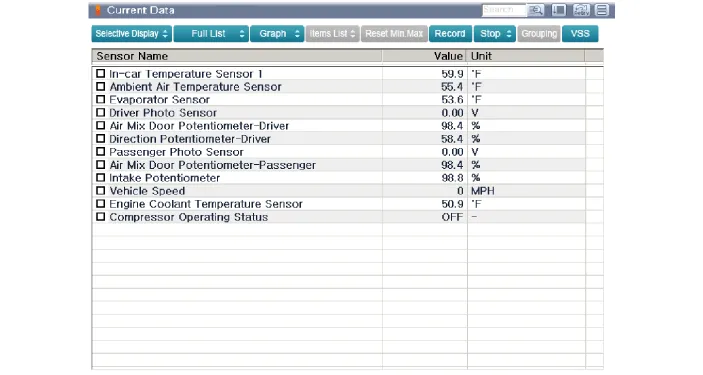
| 1. | The heating, ventilation and air conditioning can be quickly diagnosed failed parts with vehicle diagnostic system (GDS). ※ The diagnostic system (GDS) provides the following information. (1) Self diagnosis : Checking the failure code (DTC) and display. (2) Current data : Checking the system input / output data state. (3) Actuation test : Checking the system operation condition. (4) Additional function : Other controlling such as he system option and zero point adjustment. |
| 2. | Select the 'Car model' and the system to be checked in order to check the vehicle with the tester. |
| 3. | Select the 'Current data' menu to search the current state of the input / output data. The input / output data for the sensors corresponding to the Auto Defogging Sensor can be checked.
|
| Replacement |
| 1. | Disconnect the negative (-) battery terminal. |
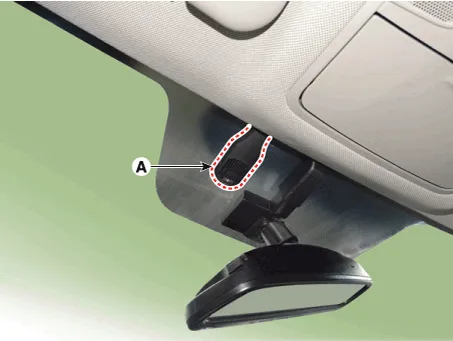
| 2. | Remove the auto defogging cover (A).
|
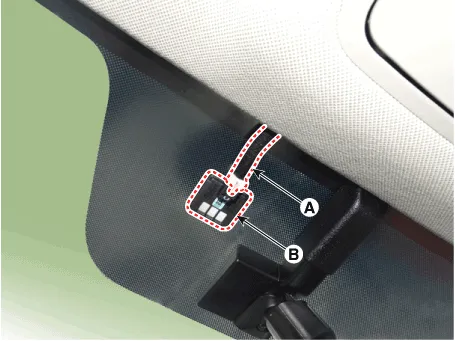
| 3. | Disconnect the connector (A) and then remove the auto defogging sensor (B).
|
| 4. | To install, reverse the removal procedure.
|

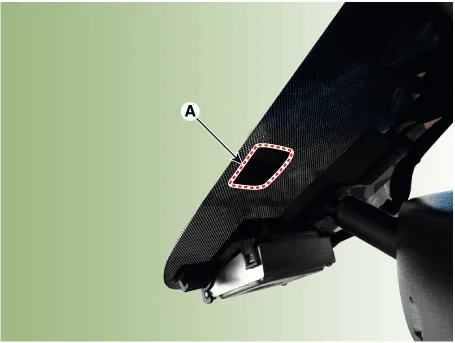
DescriptionThe auto defogging sensor is installed on the front window glass. The sensor judges and sends signal if moisture occurs to blow out wind for defogging.
Components Location1. Duct sensor (Vent)2. Duct sensor (Floor)
Other information:
Hyundai Ioniq (AE) 2017-2022 Service & Repair Manual: Evaporator Core. Repair procedures
Replacement1.Disconnect the negative (-) battery terminal. 2.Remove the heater and blower assembly.(Refer to Heater - "Heater Unit") 3.Remove the evaporator core cover (A) after loosening the mounting screws.4.Pull out the evaporator temperature sensor (A) from the evaporator core.
Hyundai Ioniq (AE) 2017-2022 Service & Repair Manual: emperature Control Actuator. Repair procedures
Inspection1.Turn the ignition switch OFF.2.Disconnect the temperature control actuator connector.3.Verify that the temperature control actuator operates to the cool position when connecting 12V to terminal 3 and grounding terminal 7.Verify that the temperature control actuator operates to the warm position when connected in reverse.
Categories
- Manuals Home
- Hyundai Ioniq Owners Manual
- Hyundai Ioniq Service Manual
- Engine Control/Fuel System
- If the 12 Volt Battery is Discharged (Hybrid Vehicle)
- Theft-alarm System
- New on site
- Most important about car
