
Hyundai Ioniq (AE): Rear Bumper / Rear Bumper Cover. Repair procedures
Hyundai Ioniq (AE) 2017-2022 Service & Repair Manual / Body (Interior and Exterior) / Rear Bumper / Rear Bumper Cover. Repair procedures
| Replacement |
|

|

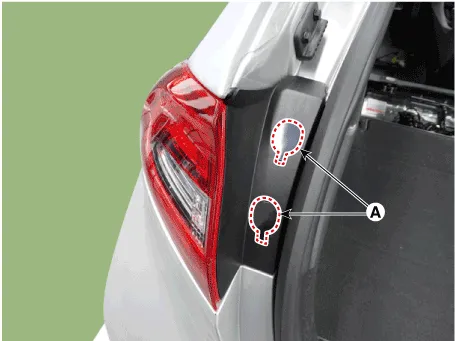
| 1. | Remove the rear combination cap (A).
|
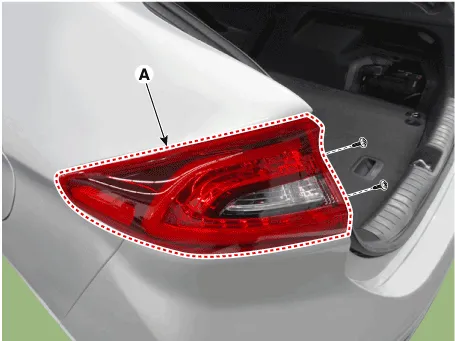
| 2. | Loosen the mounting screws, remove the rear combination lamp (A).
|
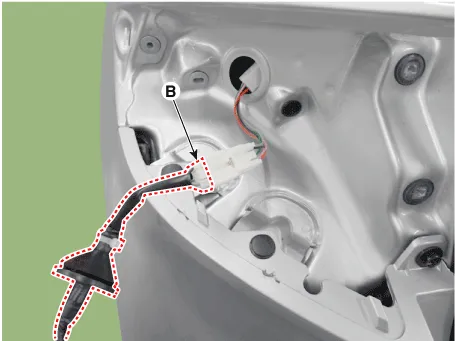
| 3. | Disconnect the rear combination lamp connector (A).
|
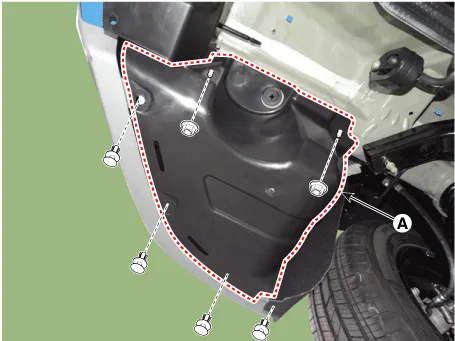
| 4. | Loosen the mounting clips and nuts, remove the rear bumper retainer cover (A).
|
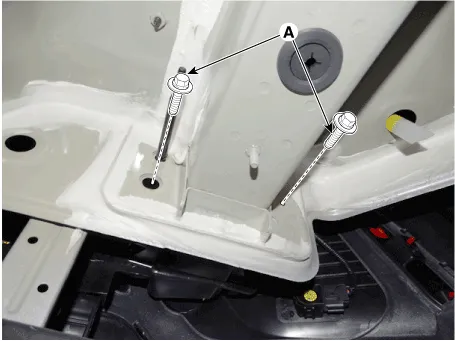
| 5. | Loosen the mounting bolts.
|
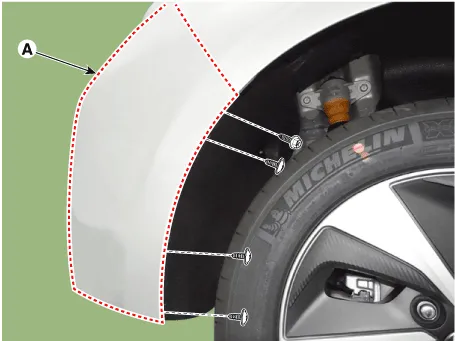
| 6. | After loosening the pin-type retainers and screws on the side of rear bumper (A), detach the side part of rear bumper.
|
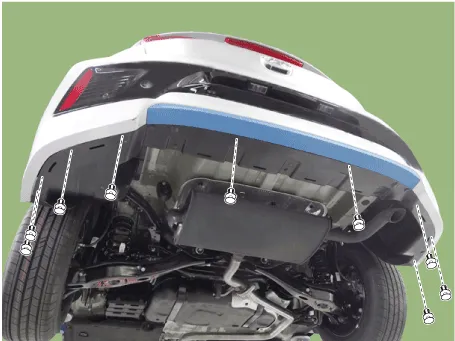
| 7. | Loosen the rear bumper lower mounting pin-type retainers and nuts.
|
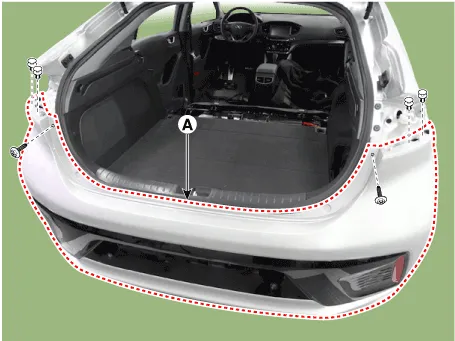
| 8. | After loosening the mounting screws and clips, remove the rear bumper cover (A).
|
| 9. | Disconnect the rear bumper connector (A).
|
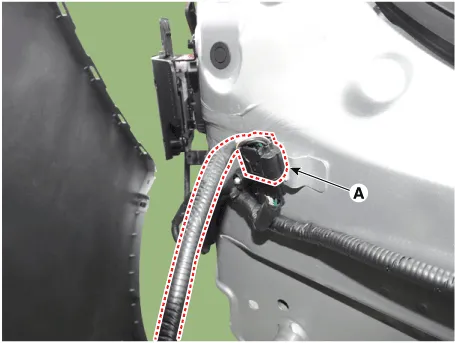
| 10. | To install, reverse the removal procedure.
|

Component Location 1. Rear bumper cover
Component Location 1. Rear bumper beam assembly
Other information:
Hyundai Ioniq (AE) 2017-2022 Service & Repair Manual: Parking Distance Warning (PDW) ON/OFF Switch. Repair procedures
Removal • Put on gloves to prevent hand injuries. • When removing with a flat-tip screwdriver or remover, wrap protective tape around the tools to prevent damage to components.
Hyundai Ioniq (AE) 2017-2022 Service & Repair Manual: Cruise Control Switch. Repair procedures
Removal1.Disconnect the negative (-) battery terminal.2.Remove the steering wheel assembly.(Refer to Steering System - "Steering Wheel")3.Remove the steering back cover (A).4.Remove the steering remote control connector (A).5.Remove the steering remote control after loosening the screws.
Categories
- Manuals Home
- Hyundai Ioniq Owners Manual
- Hyundai Ioniq Service Manual
- Engine Clutch System
- Transmission Gear Oil. Repair procedures
- Brake System
- New on site
- Most important about car

Copyright © 2026 www.hioniqae.com - 0.0199