
Hyundai Ioniq (AE): Rear Suspension System / Rear Shock Absorber. Repair procedures
| Removal |
| 1. | Loosen the wheel nuts slightly. Raise the vehicle, and make sure it is securely supported. |
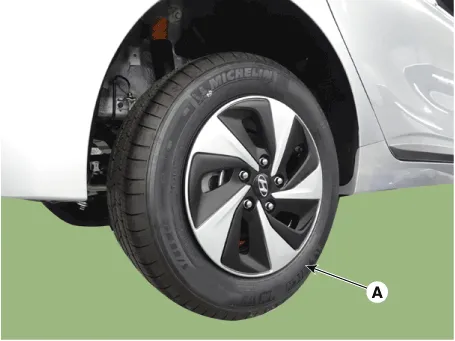
| 2. | Remove the rear wheel and tire (A) from the rear hub.
|

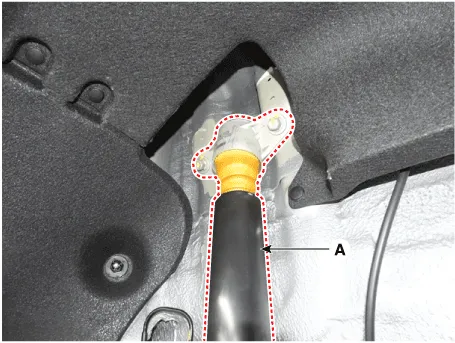
| 3. | Remove the rear shock absorber (A) from the frame by loosening the bolt.
|
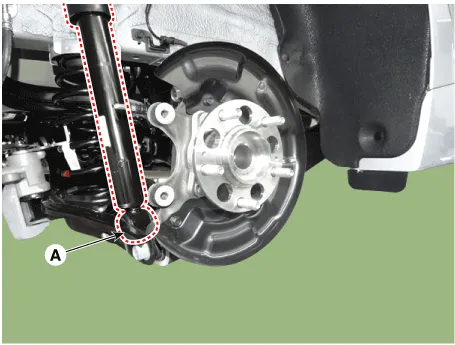
| 4. | Loosen the bolt & nut and then remove the rear shock absorber (A) from the torsion beam axle.
|
| 5. | Install in the reverse order of removal. |
| Disassembly |
| 1. | Remove the lock nut cover (A).
|
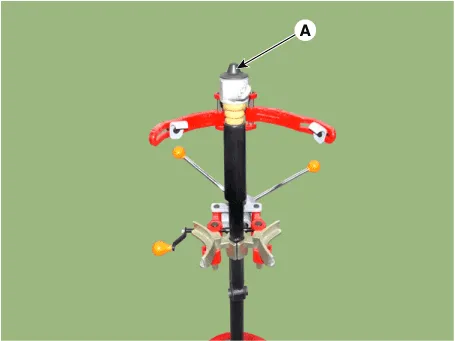
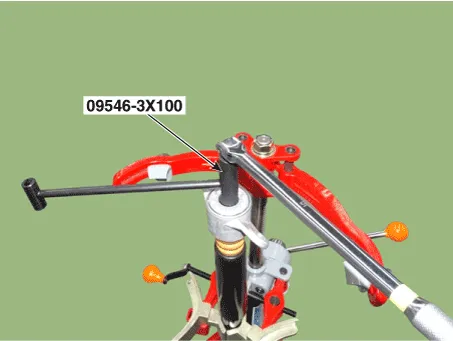
| 2. | Using the special tool (09546-3X100), install the self locking nut.
|
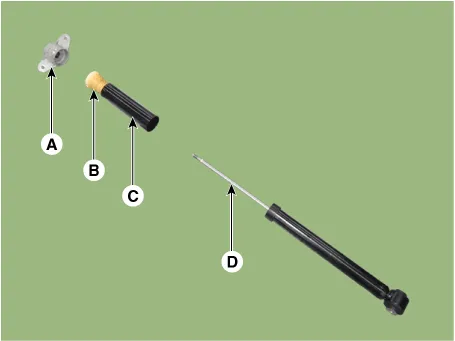
| 3. | Separate the bracket assembly (A), bumper rubber (B), dust cover (C), shock absorber (D).
|
| Disposal |
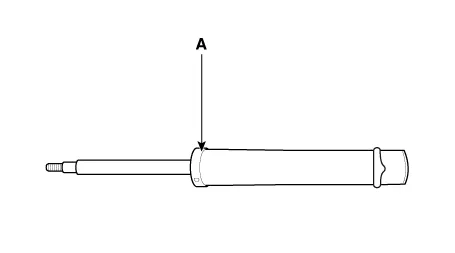
| 1. | Remove the strike cap (A) from the shock absorber assembly. |
| 2. | Remove the gas by Drilling a hole in the inner oil seal.
|

| Reassembly |
| 1. | To reassembly, reverse the disassembly procedure. |
| 2. | Using SST (09546-3X100), install the lock nut.
|
| 3. | Install the lock nut cover (A).
|
Components1. Shock absorber dust cap2. Lock nut3. Insulator assembly 4. Bumper rubber5. Dust cover6. Shock absorber
Removal1.Loosen the wheel nuts slightly.Raise the vehicle, and make sure it is securely supported.2.Remove the rear wheel and tire (A) from the rear hub.
Other information:
Hyundai Ioniq (AE) 2017-2022 Service & Repair Manual: In-car Sensor. Description and operation
DescriptionThe In-car air temperature sensor is built in the heater & A/C control unit.The sensor contains a thermistor which measures the temperature of the inside. The signal decided by the resistance value which changes in accordance with perceived inside temperature, is delivered to heater control unit and according to this signal the contr
Hyundai Ioniq (AE) 2017-2022 Service & Repair Manual: Auto Defogging Sensor. Description and operation
DescriptionThe auto defogging sensor is installed on the front window glass. The sensor judges and sends signal if moisture occurs to blow out wind for defogging. The air conditioner control module receives signal from the sensor and restrains moisture and eliminate defog by controlling the intake actuator, A/C, auto defogging actuator, blower moto
Categories
- Manuals Home
- Hyundai Ioniq Owners Manual
- Hyundai Ioniq Service Manual
- Troubleshooting
- Components and components location
- Body (Interior and Exterior)
- New on site
- Most important about car
