
Hyundai Ioniq (AE): Front Axle Assembly. Front Hub / Knuckle / Repair procedures
| Removal |
| 1. | Loosen the wheel nuts slightly. Raise the vehicle, and make sure it is securely supported. |
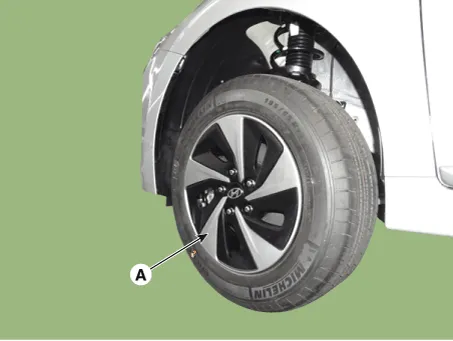
| 2. | Remove the front wheel and tire (A) from the front hub.
|

| 3. | Remove the front brake caliper. (Refer to Brake System - "Front Disc Brake") |
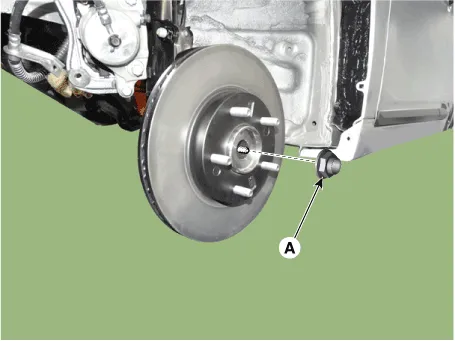
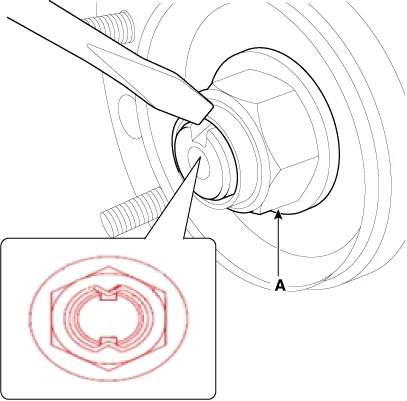
| 4. | Loosen the driveshaft caulking nut (A).
|
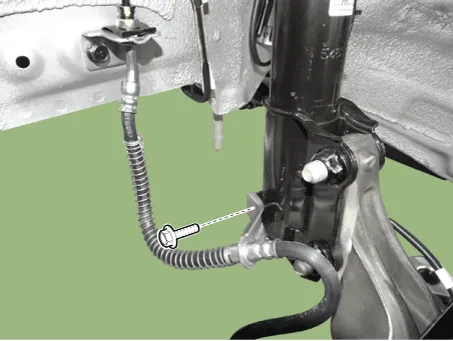
| 5. | Loosen the brake hose mounting bolt and then remove the brake hose bracket.
|
| 6. | Loosen the bolt and then remove the wheel speed sensor (A).
|
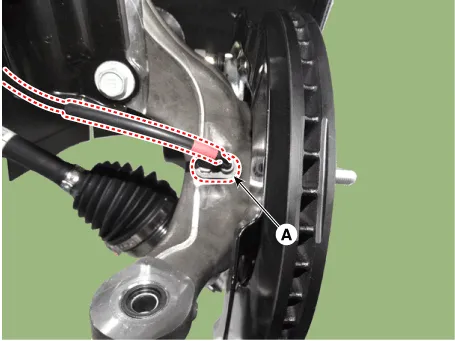
| 7. | Remove the tie rod end ball joint.
|
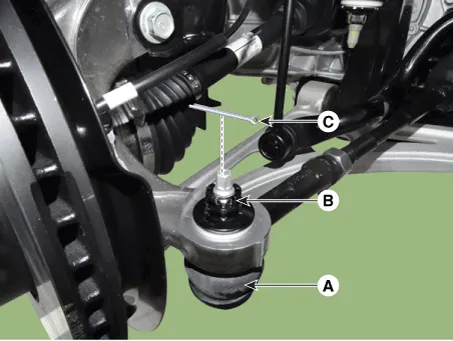
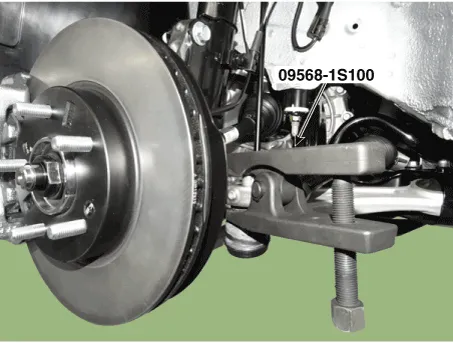
| 8. | Loosen the lower arm nut and then remove the lower arm ball joint by using SST(09568-1S100).
|

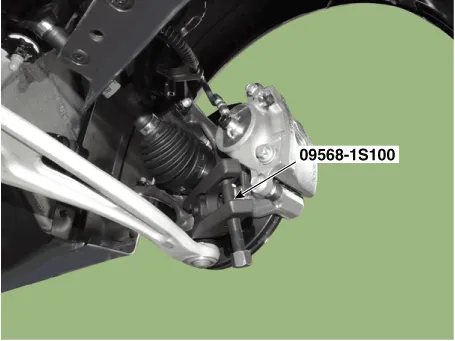
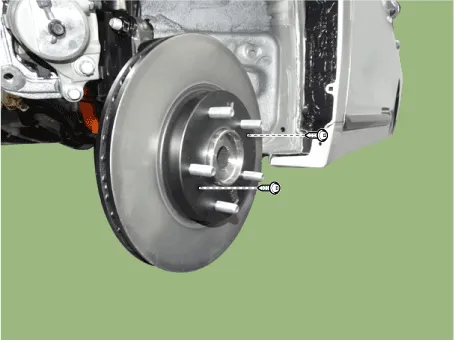
| 9. | Loosen the screw and the remove the front disc.
|
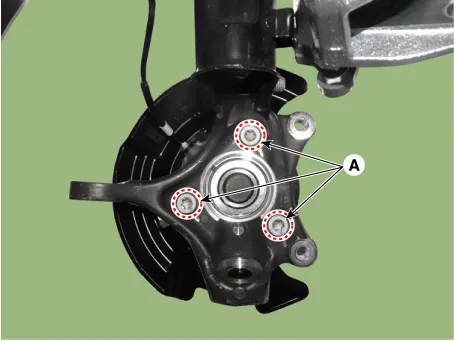
| 10. | Remove the hub bearing by loosening the mounting bolts (A).
|
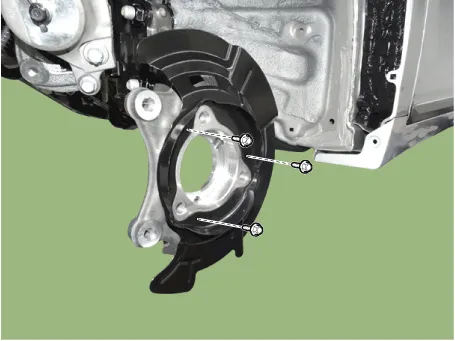
| 11. | Loosen the bolts and then remova the dust cover.
|
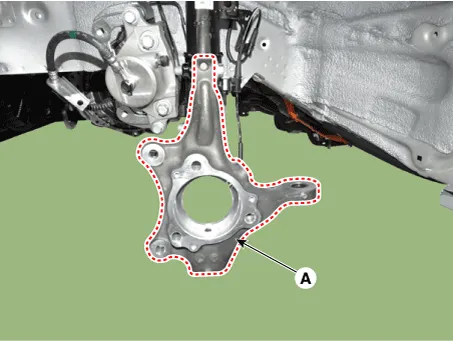
| 12. | Loosen the strut mounting bolts & nuts then remove the knuckle assembly (A).
|
| 13. | To install, reverse the removal procedure |
| 14. | Check the alignment. (Refer to Suspension System - "Alingment") |
| Inspection |
| 1. | Check the hub for cracks and the splines for wear. |
| 2. | Check the brake disc for scoring and damage. |
| 3. | Check the knuckle for cracks. |
| 4. | Check the bearing for cracks or damage. |
Components1. Knuckle2. Dust cover3. Hub bearing4. Brake disc
Other information:
Hyundai Ioniq (AE) 2017-2022 Service & Repair Manual: Evaporator Core. Repair procedures
Replacement1.Disconnect the negative (-) battery terminal. 2.Remove the heater and blower assembly.(Refer to Heater - "Heater Unit") 3.Remove the evaporator core cover (A) after loosening the mounting screws.4.Pull out the evaporator temperature sensor (A) from the evaporator core.
Hyundai Ioniq (AE) 2017-2022 Service & Repair Manual: Components and components location
C
Categories
- Manuals Home
- Hyundai Ioniq Owners Manual
- Hyundai Ioniq Service Manual
- Transmission Gear Oil. Repair procedures
- Description and operation
- Front Disc Brake. Repair procedures
- New on site
- Most important about car

Copyright © 2026 www.hioniqae.com - 0.0191