
Hyundai Ioniq (AE): Wireless Power Charger System / Wireless Charging Lamp. Repair procedures
Hyundai Ioniq (AE) 2017-2022 Service & Repair Manual / Body Electrical System / Wireless Power Charger System / Wireless Charging Lamp. Repair procedures
| Removal |
Handling wireless charging system parts by wet hands may cause electric shock. |

| 1. | Disconnect the negative (-) battery terminal. |
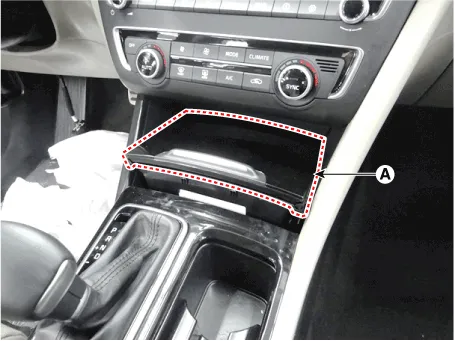
| 2. | Remove the floor console tray (A). (Refer to Body - "Floor Console Assembly")
|
| 3. | Disconnect the connectors (A) from the floor console tray.
|
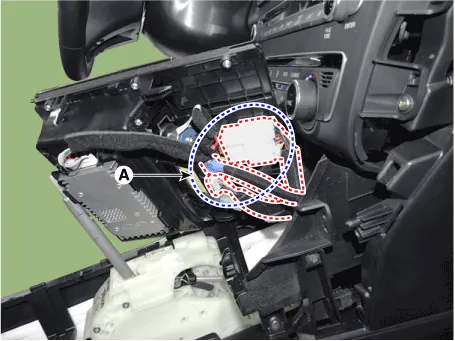
| 4. | Disconnect the wireless charging lamp connector (A).
|
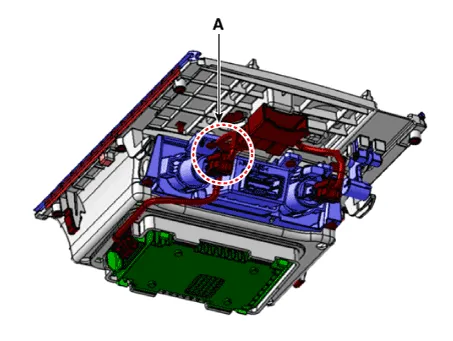
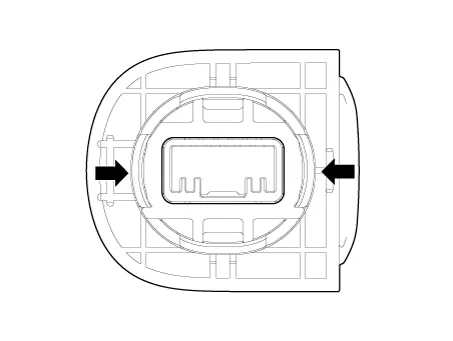
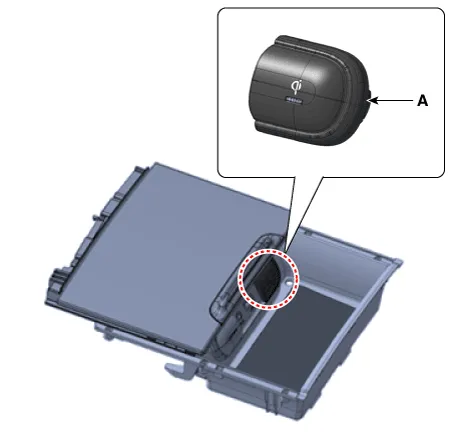
| 5. | Remove the wireless charging lamp (A) by pressing the hooks on each side at the same time.
|
| Installation |
| 1. | Install the wireless charging lamp. |
| 2. | Connect the wireless charging lamp connector. |
| 3. | Connect the connectors to the floor console tray. |
| 4. | Install the floor console tray. |
| 5. | Connect the negative (-) battery terminal. |
Other information:
Hyundai Ioniq (AE) 2017-2022 Service & Repair Manual: Mode Control Actuator. Specifications
S
Hyundai Ioniq (AE) 2017-2022 Service & Repair Manual: Warning Indicator. Repair procedures
RemovalWarning Indicator1.Disconnect the negative (-) battery terminal.2.Remove the mirror (A).InstallationWarning Indicator1.Install the outside mirror.2.Connect the negative (-) battery terminal.Inspection1.Apply battery voltage to each terminal as shown in the table and verify that the mirror operates properly.
Categories
- Manuals Home
- Hyundai Ioniq Owners Manual
- Hyundai Ioniq Service Manual
- Body (Interior and Exterior)
- Troubleshooting
- Components and components location
- New on site
- Most important about car

Copyright В© 2026 www.hioniqae.com - 0.0209