
Hyundai Ioniq (AE): Audio / Audio Unit. Repair procedures
| Removal |
| 1. | Disconnect the negative (-) battery terminal. |
| 2. | Remove the cluster fascia panal. (Refer to Body - "Center Fascia Panal") |
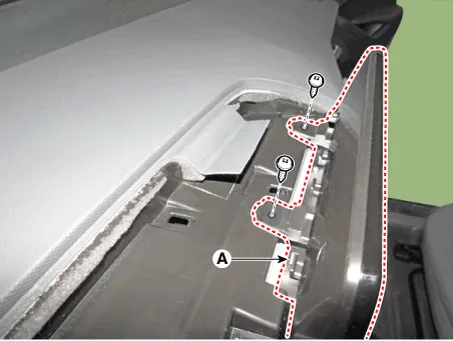
| 3. | Remove the crash pad garnish RH. (Refer to Body - "Crash Pad Garnish") |
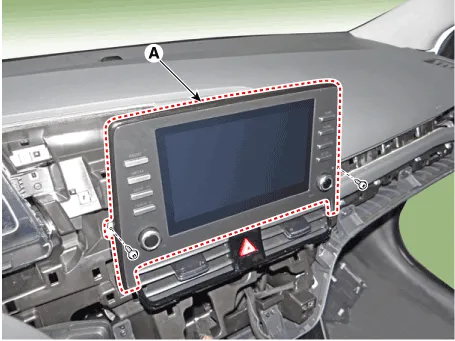
| 4. | Remove the audio assembly (A) after loosening mounting screws.
|
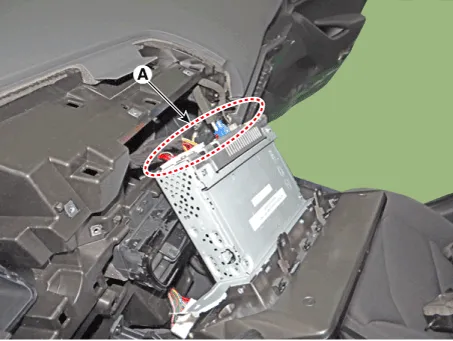
| 5. | Remove the audio head unit after disconnecting the connectors and cable (A).
|
| Installation |
| 1. | Connect the audio unit connectors and cable. |
| 2. | Install the audio head unit. |
| 3. | Install the crash pad garnish RH. |
| 4. | Install the cluster fascia panal. |
| 5. | Connect the negative (-) battery terminal.
|

Components[RADIO/CD/MP3]Connector Pin Information No Connector A Connector B 1Rear speaker (LH +)-2Rear speaker (LH -)Mic (+)3--4--5-Antenna power6Camera powerIllumination (+)7Camera vidio inputMM CAN (+)8--9--10-Battery (+)11DTCBattery (+)12Steering key signalGround13Front speaker (LH +)Ground14Front speaker (LH -)-15Front speaker (RH -)Mic (-)16Front speaker (RH +)-17--18- -19-Illumination (-)20Camera power groundMM CAN (-)21Camera video ground-22-ACC23--24--25--26Steering key ground-27Rear speaker (RH -)-28Rear speaker (RH +)-29--30--31-IGN 332Camera(NC.
Inspection1.Troubleshooting for Speaker(1)Basic inspection of speakerInspect the sound from speaker after verifying that the speaker mounting screws is removed and the wiring connector is connected precisely to remove vibration transmitted from body trims and surrounding parts.
Other information:
Hyundai Ioniq (AE) 2017-2022 Service & Repair Manual: In-car Sensor. Description and operation
DescriptionThe In-car air temperature sensor is built in the heater & A/C control unit.The sensor contains a thermistor which measures the temperature of the inside. The signal decided by the resistance value which changes in accordance with perceived inside temperature, is delivered to heater control unit and according to this signal the contr
Hyundai Ioniq (AE) 2017-2022 Service & Repair Manual: Auto Defoging Actuator. Specifications
S
Categories
- Manuals Home
- Hyundai Ioniq Owners Manual
- Hyundai Ioniq Service Manual
- Repair procedures
- Troubleshooting
- If the 12 Volt Battery is Discharged (Hybrid Vehicle)
- New on site
- Most important about car
