
Hyundai Ioniq (AE): Power Windows / Power Window Switch. Schematic diagrams
| Circuit Diagram |
| [Driver Auto down power window] |
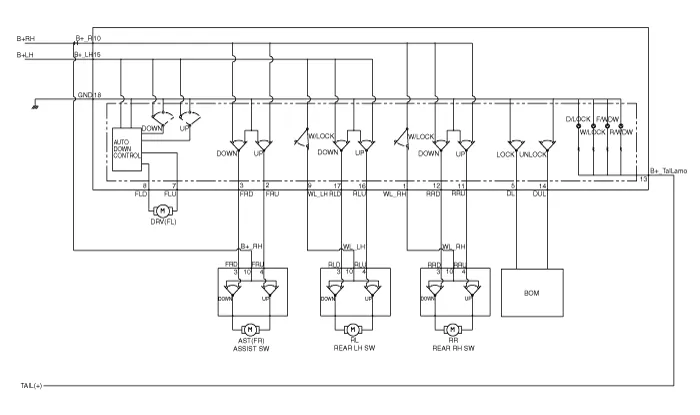
| [Driver Safety Power Window (Driver Auto)] |
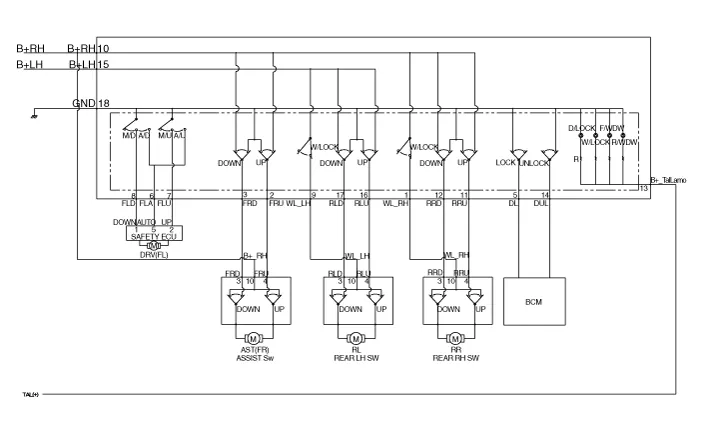
| [Driver Safety Power Window(Front Auto)] |
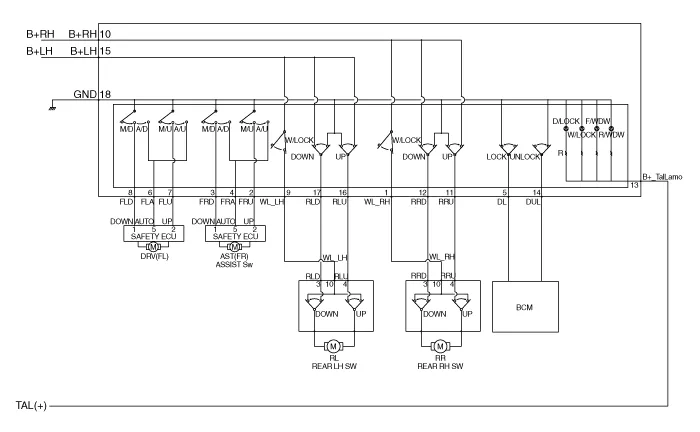
| [Safety Power Window (Assist Auto)] |
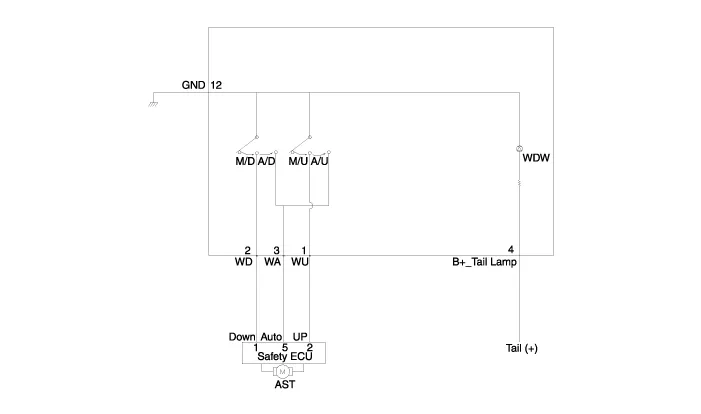
| [Manual Power Window] |

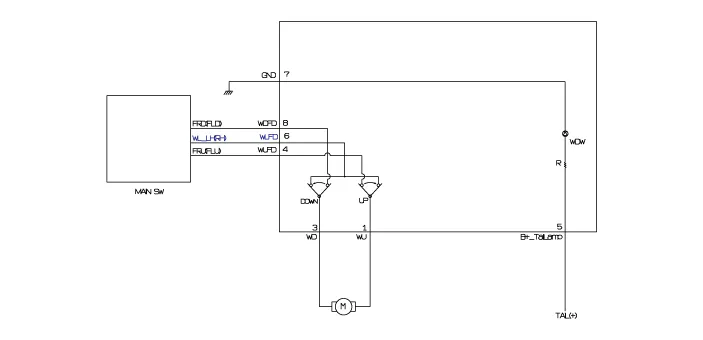
| [Rear Power Window Switch (Manual)] |
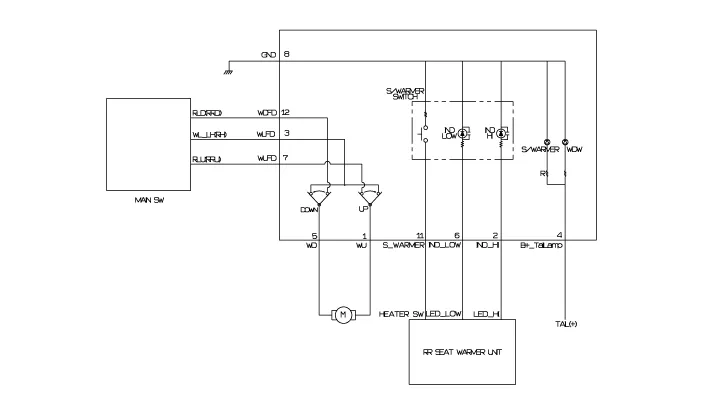
| [Rear Power Window Switch (Manual + Seat Heater)] |
ComponentsDriver Power Window SwitchAssist Power Window SwitchRear Power Window Switch
Inspection[Driver Power Window Switch]1.Disconnect the negative (-) battery terminal.2.Remove the driver door trim.(Refer to Body - "Front Door Trim")3.
Other information:
Hyundai Ioniq (AE) 2017-2022 Service & Repair Manual: emperature Control Actuator. Description and operation
DescriptionThe temperature control actuator is located at the heater unit. It regulates the temperature by the procedure as follows. The signal from the control unit adjusts the position of the temperature door by operating the temperature switch. Then the temperature will be regulated by the hot/cold air ratio decided by the position of the temper
Hyundai Ioniq (AE) 2017-2022 Service & Repair Manual: Parking Distance Warning (PDW) Sensor. Repair procedures
Removal1.Disconnect the negative (-) battery terminal.2.Remove the front / rear bumper cover.(Refer to Body - "Front Bumper Cover")(Refer to Body - "Rear Bumper Cover")3.Disconnect the connector (A) from the parking assist sensor.4.Remove the sensor (A) by pulling out both ends of the sensor holder.
Categories
- Manuals Home
- Hyundai Ioniq Owners Manual
- Hyundai Ioniq Service Manual
- Engine Mechanical System
- Components and components location
- Maintenance
- New on site
- Most important about car
