
Hyundai Ioniq (AE): LCD Display Messages / Unplug vehicle to start, Remaining time (Plug-in hybrid vehicle)
Unplug vehicle to start (Plug-in hybrid vehicle)
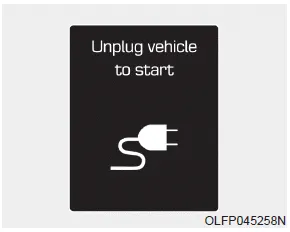
This message is displayed when you start the engine without unplugging the charging cable. Unplug the charging cable, and then start the vehicle.
Remaining time (Plug-in hybrid vehicle)
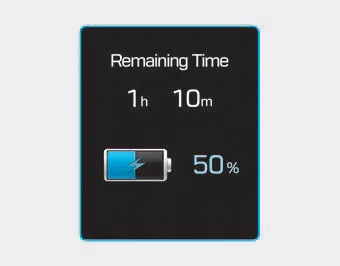
This message is displayed to notify the remaining time to fully charge the battery.
Check brakes/Check regenerative brakes Either message is displayed when the brake performance is low or the regenerative brake does not work properly due to a failure in the brake system.
Wait until fuel door opens (Plug-in hybrid vehicle) This message is displayed when you attempt to open the fuel filler door with the fuel tank pressurized.
Other information:
Hyundai Ioniq (AE) 2017-2022 Service & Repair Manual: Auto Defogging Sensor. Description and operation
DescriptionThe auto defogging sensor is installed on the front window glass. The sensor judges and sends signal if moisture occurs to blow out wind for defogging. The air conditioner control module receives signal from the sensor and restrains moisture and eliminate defog by controlling the intake actuator, A/C, auto defogging actuator, blower moto
Hyundai Ioniq (AE) 2017-2022 Service & Repair Manual: Cruise Control Switch. Repair procedures
Removal1.Disconnect the negative (-) battery terminal.2.Remove the steering wheel assembly.(Refer to Steering System - "Steering Wheel")3.Remove the steering back cover (A).4.Remove the steering remote control connector (A).5.Remove the steering remote control after loosening the screws.
Categories
- Manuals Home
- Hyundai Ioniq Owners Manual
- Hyundai Ioniq Service Manual
- Engine Clutch System
- Front Disc Brake. Repair procedures
- Repair procedures
- New on site
- Most important about car
