
Hyundai Ioniq (AE): Front Door / Front Door Latch. Repair procedures
Hyundai Ioniq (AE) 2017-2022 Service & Repair Manual / Body (Interior and Exterior) / Front Door / Front Door Latch. Repair procedures
| Replacement |
| 1. | Remove the front door module. (Refer to Front Door - "Front Door Module") |
| 2. | Remove the front door inside handle cage (A).
|
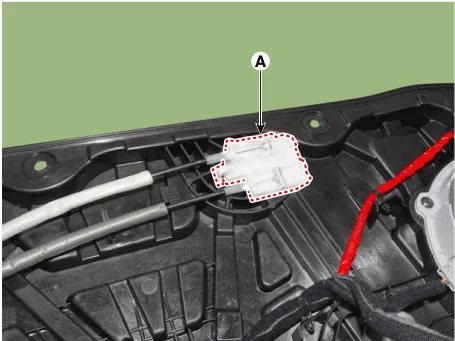
| 3. | Remove the front door latch assembly (A) by pulling it in the direction of the arrow.
|
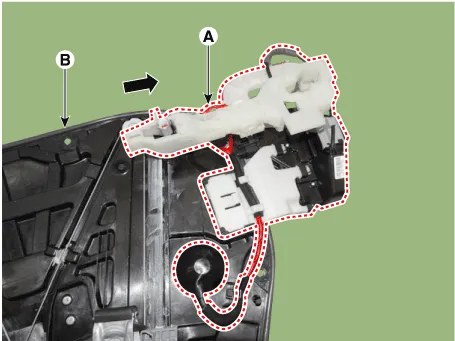
| 4. | Disconnect the front door latch connector (A).
|
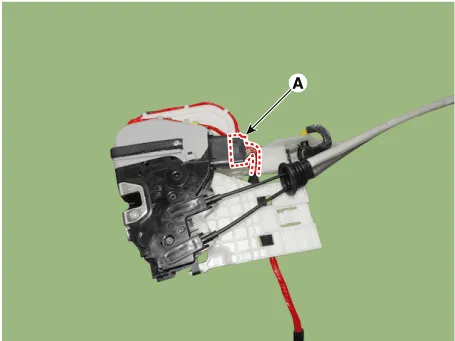
| 5. | To remove the front door outside handle base connector (A), widen both sides of the wiring fastener and then push back the front door outside handle base connector.
|
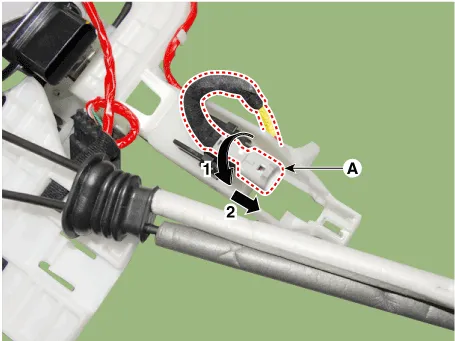
| 6. | Remove the front door outside handle connector wiring harness (A).
|
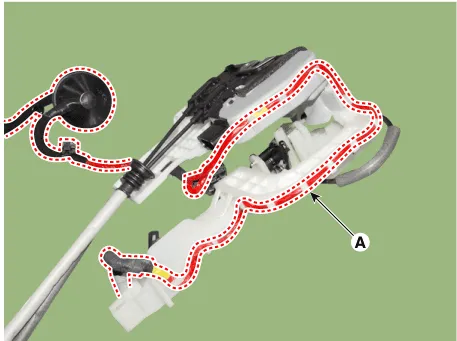
| 7. | Remove the front door outside handle base (A) by pushing in the lock pins located in the back.
|
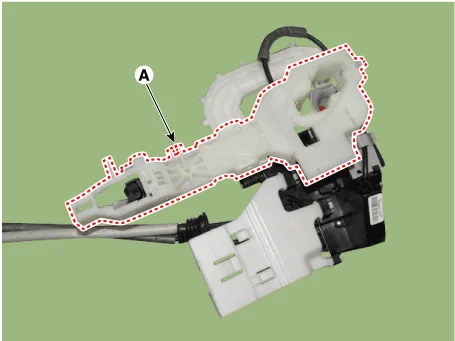
| 8. | Remove the front door outside handle cable (A).
|
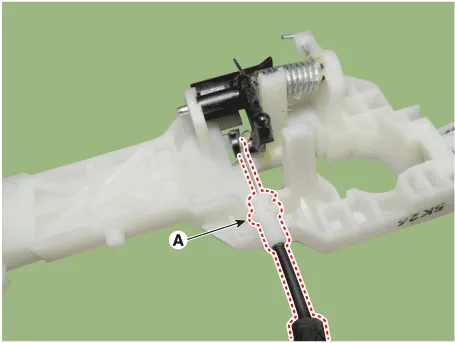
| 9. | To install, reverse the removal procedure.
|

Component Location 1. Front door latch
Other information:
Hyundai Ioniq (AE) 2017-2022 Service & Repair Manual: Ambient Temperature Sensor. Components and components location
C
Hyundai Ioniq (AE) 2017-2022 Service & Repair Manual: Repair procedures
Replacement1.Remove the battery (-) terminal.2.Remove the engine room under cover.(Refer to Engine Mechanical System - "Engine Room Under Cover")3.Remove the heater hose (A) and AEWP hose (B).4.Disconnect the lock pin to remove the heater hose pump connector (A).
Categories
- Manuals Home
- Hyundai Ioniq Owners Manual
- Hyundai Ioniq Service Manual
- Checking the Coolant Level
- Jump starting procedure
- Troubleshooting
- New on site
- Most important about car

Copyright © 2026 www.hioniqae.com - 0.0113