
Hyundai Ioniq (AE): Parking Brake System / Parking Brake Switch. Repair procedures
| Removal |
| 1. | Disconnect the negative (-) battery cable. |
| 2. | Remove the crash pad lower panel. (Refer toBody - "Crash Pad") |
| 3. | Remove the junction box. (Refer to Body Electrical System - "Fuses and Relays") |
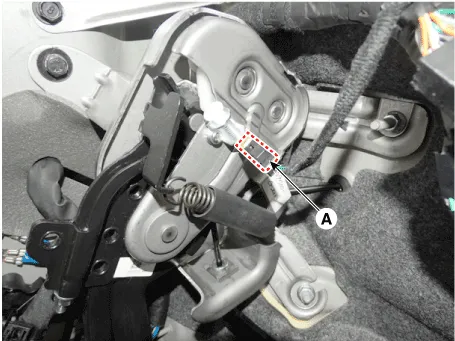
| 4. | Disconnect the parking brake switch connector (A).
|
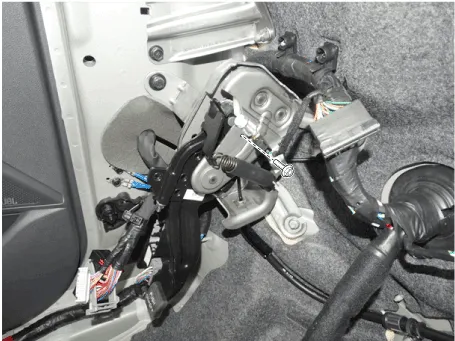
| 5. | Loosen the screw and then remove the parking brake switch.
|
| 6. | Install in the reverse of removal. |
RemovalParking Brake Pedal1.Disconnect the negative (-) battery cable.2.Remove the crash pad lower panel.(Refer to Body - "Crash Pad")3.Remove the junction box.
Removal1.Disconnect the negative (-) battery cable.2.Release the parking brake.3.Remove the crash pad lower panel.(Refer to Body - "Crash Pad")4.Remove the parking brake cable adjusting nut (A) and the fixing clip (B), and then remove the parking cable from the brake pedal.
Other information:
Hyundai Ioniq (AE) 2017-2022 Service & Repair Manual: Description and operation
DescriptionBlcok DiagramFunctions of Front View CameraFront View Camera supports the following functions using the information (lane, light source, vehicle and pedestrian) detected by the front view camera and the vehicle's signal information (CAN communication).
Hyundai Ioniq (AE) 2017-2022 Service & Repair Manual: Repair procedures
Removal1.Disconnect the negative (-) battery terminal.2.Remove the tailgate lid trim.(Refer to Body - "TailGate Lid Trim")3.Disconnect the Rear view camera connector (A).4.Remove the Rear view camera assembly after loosening the mounting screws.Installation1.
Categories
- Manuals Home
- Hyundai Ioniq Owners Manual
- Hyundai Ioniq Service Manual
- General Information
- Body (Interior and Exterior)
- Troubleshooting
- New on site
- Most important about car
