
Hyundai Ioniq (AE): Gauges and Meters / Speedometer, Tachometer
Speedometer
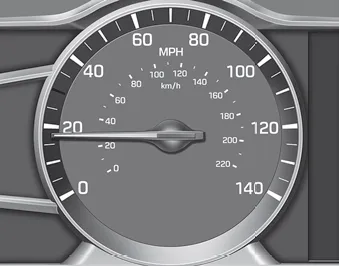
â– Type A

■Type B • ECO mode selected

■Type B • SPORT mode selected
The speedometer indicates the speed of the vehicle and is calibrated in miles per hour (MPH) and/or kilometers per hour (km/h).
The speedometer for cluster type B is displayed differently according to the mode selected, ECO or SPORT. If the shift lever is in S (Sport), SPORT mode is selected and if the shift lever is in D (Drive), ECO mode is selected.
Tachometer

Type B • SPORT mode selected
The tachometer indicates the approximate number of engine revolutions per minute (rpm).
Use the tachometer to select the correct shift points and to prevent lugging and/or over-revving the engine.
NOTICE
Do not operate the engine within the tachometer's RED ZONE. This may cause severe engine damage.
Power gauge The power gauge indicates whether the current driving condition is fuel efficient or not. • CHARGE : Shows that the energy made by the vehicle is being converted to electrical energy.
Other information:
Hyundai Ioniq (AE) 2017-2022 Service & Repair Manual: emperature Control Actuator. Description and operation
DescriptionThe temperature control actuator is located at the heater unit. It regulates the temperature by the procedure as follows. The signal from the control unit adjusts the position of the temperature door by operating the temperature switch. Then the temperature will be regulated by the hot/cold air ratio decided by the position of the temper
Hyundai Ioniq (AE) 2017-2022 Service & Repair Manual: Parking Distance Warning (PDW) Sensor. Repair procedures
Removal1.Disconnect the negative (-) battery terminal.2.Remove the front / rear bumper cover.(Refer to Body - "Front Bumper Cover")(Refer to Body - "Rear Bumper Cover")3.Disconnect the connector (A) from the parking assist sensor.4.Remove the sensor (A) by pulling out both ends of the sensor holder.
Categories
- Manuals Home
- Hyundai Ioniq Owners Manual
- Hyundai Ioniq Service Manual
- Coolant. Repair procedures
- Engine Mechanical System
- If the 12 Volt Battery is Discharged (Hybrid Vehicle)
- New on site
- Most important about car
