
Hyundai Ioniq (AE): LCD Display Modes (for cluster type A) / Information mode
This mode displays the service interval (mileage and days).
Service interval
Service in
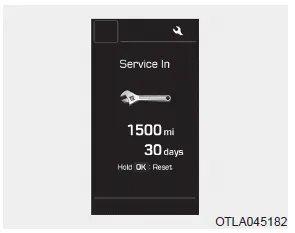
It calculates and displays the maintenance schedule (mileage or days), as set in the system.
When the set mileages or days passed, "Service in" message is displayed for several seconds each time Engine Start/Stop button is turned ON.
Service required
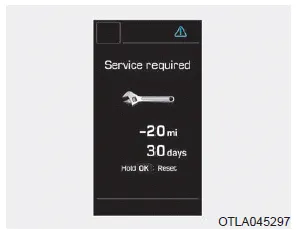
If you exceed the specified service interval, a message indicating, "Service required" will be displayed each time you turn ON the vehicle.
To reset the service interval in mileages or days that you initially set, press the OK button for more than 1 second.
Service in OF
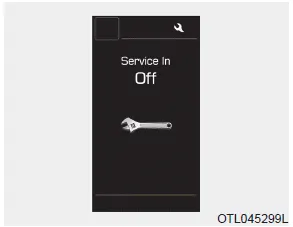
If the service interval is not set, "Service in OFF" message is displayed on the LCD display.
Information
If any of the following conditions occur, the mileage and number of days to service may be incorrect.
- The battery cable is disconnected.
- The fuse switch is turned off.
- The battery is discharged.
Warning message
If one of followings occurs, warning messages will be displayed in the information mode for several seconds.
- Low washer fluid (if equipped)
- Exterior lamp malfunction
- Blind-Spot Collision Warning (BCW) system malfunction (if equipped)
- High Beam Assist malfunction (if equipped)
- Tire Pressure Monitoring System (TPMS) malfunction
- Forward Collision-Avoidance Assist (FCA) malfunction (if equipped)
- Smart cruise control malfunction (if equipped)
- Service reminder
Edit settings after shifting to P/ Shift to P to edit settings Either message appears if you try to adjust the User Settings while driving. For your safety, change the User Settings after parking the vehicle, applying the parking brake and moving the shift lever to P (Park).
In this mode, you can change the settings of the instrument cluster, doors, lamps, etc. 1. Driver Assistance 2. Door 3. Lights 4. Convenience 5. Service Interval 6.
Other information:
Hyundai Ioniq (AE) 2017-2022 Service & Repair Manual: Climate Control Air Filter. Repair procedures
Replacement1.Disconnect the air damper (A) from the glove box (B).2.Remove the stopper (B) from the glove box (A).3.Remove the filter cover (A) by pressing the knob.4.Replace the air filter (A) with a new one according to the direction of air filter. • To remove the filter easily, press the right side inwa
Hyundai Ioniq (AE) 2017-2022 Service & Repair Manual: Schematic diagrams
Trouble Symptom ChartsComponent Parts and Function Outline Component part Function Cruise Control Switch Input the set speed and distance to the SCC ECU. Instrument Cluster Display various information inputted from SCC.
Categories
- Manuals Home
- Hyundai Ioniq Owners Manual
- Hyundai Ioniq Service Manual
- Transmission Gear Oil. Repair procedures
- Description and operation
- Brake System
- New on site
- Most important about car
