
Hyundai Ioniq (AE): Normal Charge / Checking Charging Status
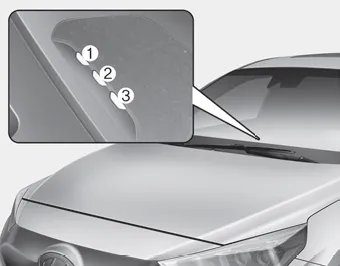
When charging the high voltage battery, the charge level can be checked from outside the vehicle.

1. Depress the brake pedal and apply the parking brake. 2. Turn OFF all switches, shift to P (Park), and turn OFF the vehicle. 3. Press center edge of the charging door to open the charging door.
â– Normal Charger 1. When charging is complete, remove the charging plug from the electrical outlet of the normal charging station. 2. Hold the charging connector handle and pull it while pressing the release button (1).
Other information:
Hyundai Ioniq (AE) 2017-2022 Service & Repair Manual: emperature Control Actuator. Description and operation
DescriptionThe temperature control actuator is located at the heater unit. It regulates the temperature by the procedure as follows. The signal from the control unit adjusts the position of the temperature door by operating the temperature switch. Then the temperature will be regulated by the hot/cold air ratio decided by the position of the temper
Hyundai Ioniq (AE) 2017-2022 Service & Repair Manual: Description and operation
DescriptionThe smart cruise control system allows a driver to program the vehicle to control the speed and following distance by detecting the vehicle ahead without depressing the brake pedal and the accelerator pedal.1.Cruise speed control : The vehicle maintains the selected speed if there are not vehicles ahead.
Categories
- Manuals Home
- Hyundai Ioniq Owners Manual
- Hyundai Ioniq Service Manual
- Hybrid Control System
- Repair procedures
- Body (Interior and Exterior)
- New on site
- Most important about car
