
Hyundai Ioniq (AE): LCD Display Messages / Lights Mode, Wiper, Check headlight
Lights Mode
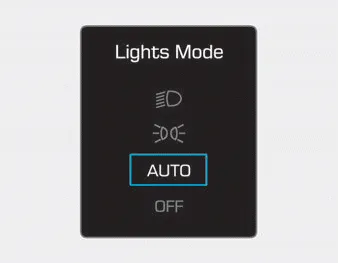
This indicator displays which exterior light is selected using the lighting control.
Wiper
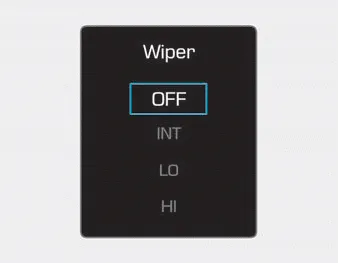
This indicator displays which wiper speed is selected using the wiper control.
Check headlight (if equipped)
This message is displayed if the headlamps are not operating properly. A headlamp bulb may need to be replaced.
Information
Make sure to replace the burned out bulb with a new one of the same wattage rating.
Low Washer Fluid (if equipped) This message is displayed if the washer fluid level in the reservoir is nearly empty. Have the washer fluid reservoir refilled.
Check Lane Keeping Assist (LKA) system (if equipped) Either message is displayed if there is a problem with the Lane Keeping Assist (LKA) System. Have the vehicle inspected by an authorized HYUNDAI dealer.
Other information:
Hyundai Ioniq (AE) 2017-2022 Service & Repair Manual: Evaporator Temperature Sensor. Description and operation
DescriptionThe evaporator temperature sensor will detect the evaporator core temperature and interrupt compressor relay power in order to prevent evaporator from freezing by excessive cooling. The evaporator temperature sensor has the Negative Temperature Coefficient (NTC).
Hyundai Ioniq (AE) 2017-2022 Service & Repair Manual: Blower Unit. Repair procedures
Replacement When prying with a flat-tip screwdriver or use a prying trim tool, wrap it with protective tape, and apply protective tape around the related parts, to prevent damage.1.Disconnect the negative (-) battery terminal.2.Recover the refrigerant with a recovery / recycling / charging station.
Categories
- Manuals Home
- Hyundai Ioniq Owners Manual
- Hyundai Ioniq Service Manual
- Hybrid Vehicle Engine Compartment
- Hybrid Control System
- Brake System
- New on site
- Most important about car
